Bring a task of your own.
Use the worksheet to describe the workflow and the criteria your reviewer would apply.
 BUILD N BLOOM
Sollerius evaluation kit
Recorded walkthrough
See what was entered, what came back and how it was checked.
General Chat, with no engagement selected.
The question asks for a delivery-review plan. Watch the wait and the answer. This example uses general Chat, without an engagement’s files or context.
Cedar Review · fictional engagement · report v7 · source v5.
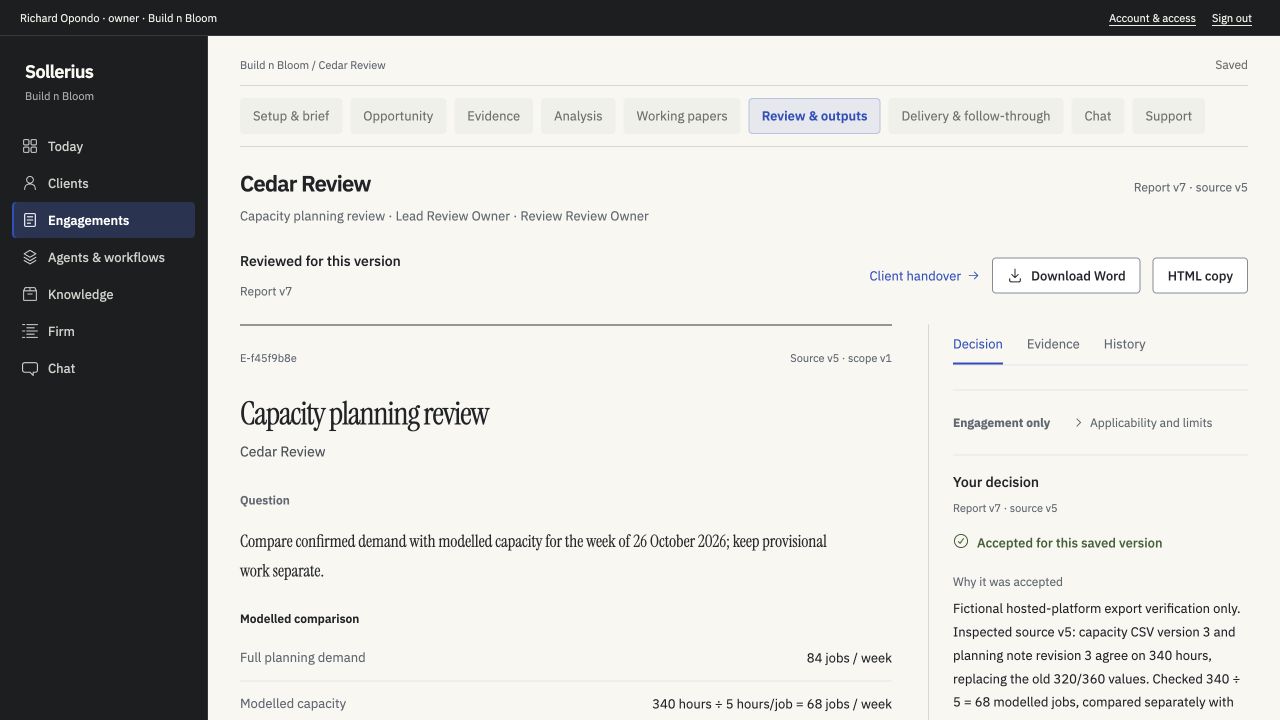
Detail · saved review decision
The operator accepted this version and recorded why. The five-hours-per-job estimate remains unvalidated; the calculation does not establish actual capacity or savings.
An earlier state of the Cedar sample, before report v7.
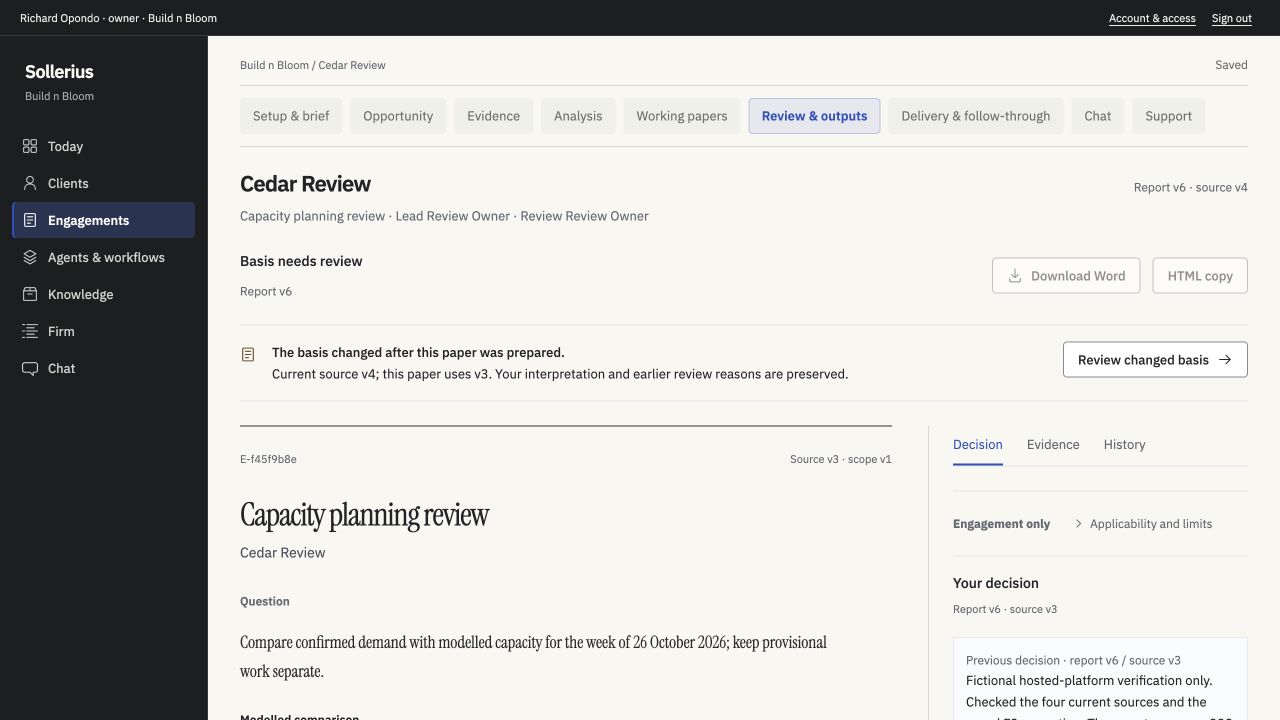
Detail from the same saved screen · changed basis and export controlsScroll sideways to read the full notice →
An input changed after review, so export was disabled until the work was checked again. The earlier review is still visible. This is a saved image of that earlier state, not a change made during this walkthrough.
Saved Word output. Marked for internal walkthrough use; not redistributed in this kit.
The Word document was downloaded from the reviewed sample report on 26 October. It includes the saved review context and limitations. It is a sample output, not professional advice or a completed deliverable for your firm.
The saved file is marked for internal walkthrough use. Your own output and its permitted use are agreed for your evaluation.
A look through the catalogue; no workflow is run or approved.
The cards explain what each role needs and prepares. The review-stage description shows where a person checks the work.
Use the worksheet to describe the workflow and the criteria your reviewer would apply.